 Cursiv
Local AI built for records you can verify.
Cursiv is a free, open-source local AI assistant with tamper-evident notebooks, offline document retrieval and portable USB/SSD workspaces. Run AI on your Windows PC, preserve observation history and keep useful notes close. Built for researchers, technicians and independent workers who need detailed records. Explore local AI with Cursiv.
MIT license · Windows 10/11, 64-bit · Internet needed for initial downloads
- AI engine
- Ollama, running on your computer
- Your work
- Local conversations, memory and field notes
- Offline mode
- Blocks connections off the computer
- Before you start
- Install Ollama and a compatible model. Check hardware
Useful tools. On your computer.
Keep working without signal.
Chat and use supported local tools with an installed model.
Keep your work local.
Save conversations and memories on your PC. Cloud services are optional.
Keep detailed records.
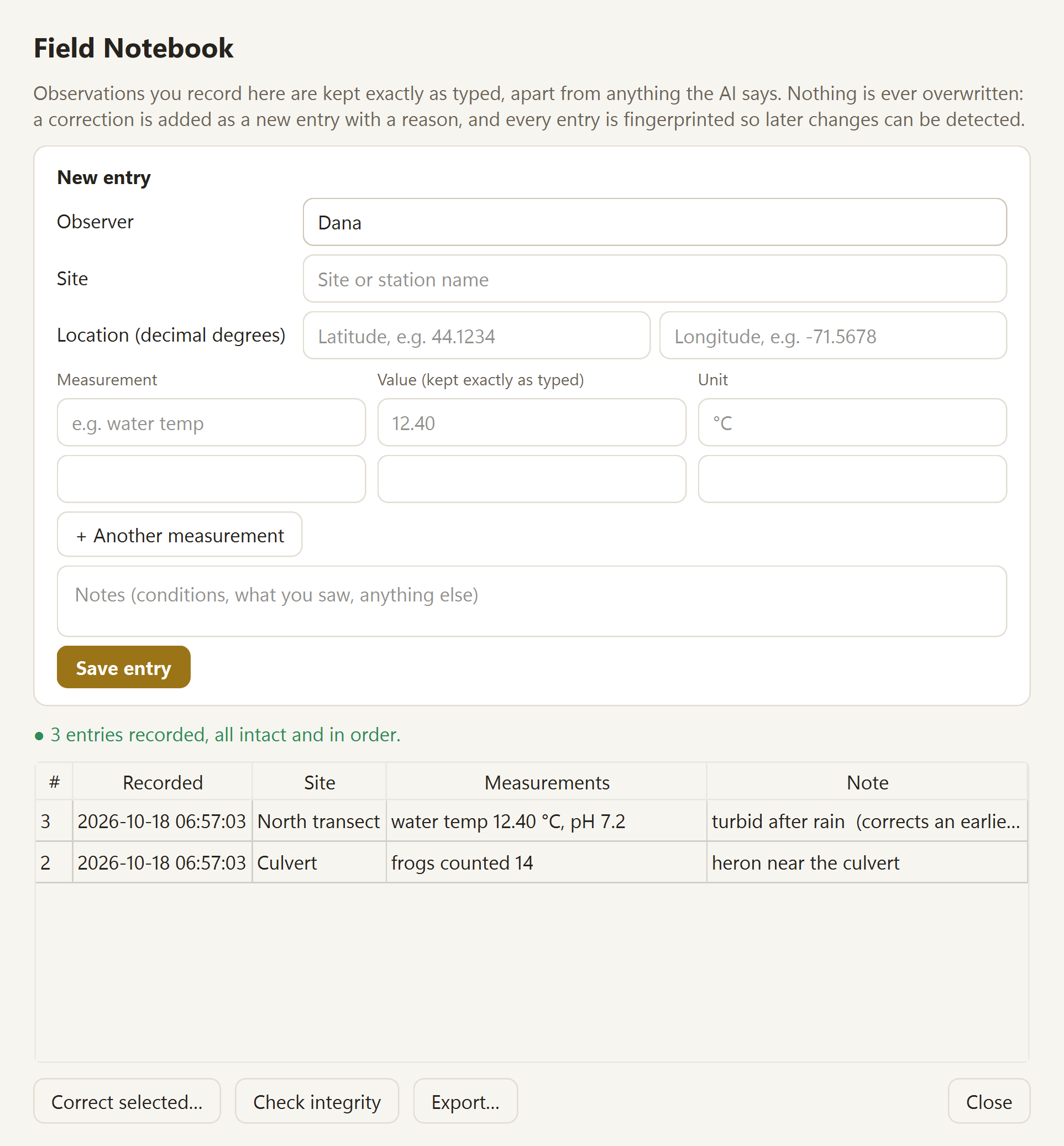
Record measurements, photos and observations, with corrections that preserve the original.
Work from your evidence.
Read imported documents by page and run supported field calculations in code.
A team on field drives, one main computer.
Each scientist records offline on a drive in their name. Back at base, one computer takes the drives one at a time, and every entry and photo arrives in the right name. A new drive can go out with only the work you choose. See the demo →
Preview in U104 · not yet tested on a PiCursiv Field Station: a research server you can carry.
An experimental local-server preview for using the notebook from phones, tablets and laptops over a local network. It has not yet been validated on a physical Raspberry Pi. See the preview →
Compare local AI applications · What works offline · Field research · Documentation and evidence
See how Cursiv is tested.
The Cursiv Truth Benchmark has 158 versioned cases covering reasoning, numbers, memory and uncertainty. Published scores apply to specific models and test sets.
Results, methods and failures →
What does the published score cover?
U106 source passed 2,253 software regression tests on Windows, 15 skipped. See current release checks, the historical local-model benchmark and known failures on the test page. Test scores describe specific checks, not a general accuracy rate.
AI can be confidently wrong.
Cursiv checks selected numbers and source claims, but can still miss errors. Verify important answers.
Experimental software. Not certified for medical or safety-critical use.
Built through continuous development.
Cursiv’s publicly documented history dates back to at least May 2026. The version 3 release described multi-model AI orchestration, persistent memory and a local workspace. That early environment coordinated cloud providers, with Ollama available for offline use.
Since then, Cursiv has evolved toward free, open-source local AI with tamper-evident notebooks, offline document retrieval, calculations checked in code and portable research workspaces. Its focus is researchers and independent workers who need detailed records and useful tools without relying on a cloud connection.
View the original May 2026 release · Explore current development
A few practical details.
What do I need to run it?
Windows 10 or 11, 64-bit, with 8 GB RAM as a starting point; 16 GB is recommended. Allow space for Cursiv, Ollama and your model. A graphics card helps, but speed depends on the model and hardware. Setup can install Ollama and download a model. See the hardware guide and installation steps.
What works without internet?
After setup, local chat, memory, saved conversations and supported local tools work with their required files installed. Offline mode blocks outside connections and stays on after a restart. Web search, cloud AI, the website phone companion, downloads and update checks need a connection. Optional online features send the content needed for their requests. Read the offline guide.
Does local storage mean encryption?
On a computer, yes: since U97 conversations, memories, the field notebook and its photos are encrypted on disk with your passphrase, and there's no way in without it. A Cursiv USB drive stays readable by design, so it works on any computer; use full-drive encryption if you carry sensitive records. Saved API keys use Windows account protection. If you use an online provider or the website phone companion, those services have separate data paths. The Privacy Policy explains what is stored, what can leave the computer and the website's download analytics.
How are answers checked?
Ollama generates a local answer. Cursiv can supply relevant reference material, saved information and results from supported calculations, then check selected claims. These checks are limited and can miss mistakes. Some reference entries still lack published sources, and none has medical-professional review. The testing guide explains the evidence; technical documentation covers the architecture.
Is it free? Which platforms are supported?
Cursiv's source code is free under the MIT license. Models have their own licenses; review the terms of the model you choose. Windows is the main platform. An early Apple Silicon Mac build is on the download page; Linux is not yet supported. Portable USB/SSD operation is Windows-only, and broader field validation is still needed.
Why does Windows show an unknown publisher?
Windows publisher signing is pending; Release manifests are owner-signed with a separate pinned key. Cursiv is seeking open-source signing support from the SignPath Foundation. Review the source, release notes and published SHA-256 checksum before deciding to install. The download guide explains signing status and setup. Public source code and a matching checksum identify a build; they do not guarantee it is free of defects.
Can I see the app first?
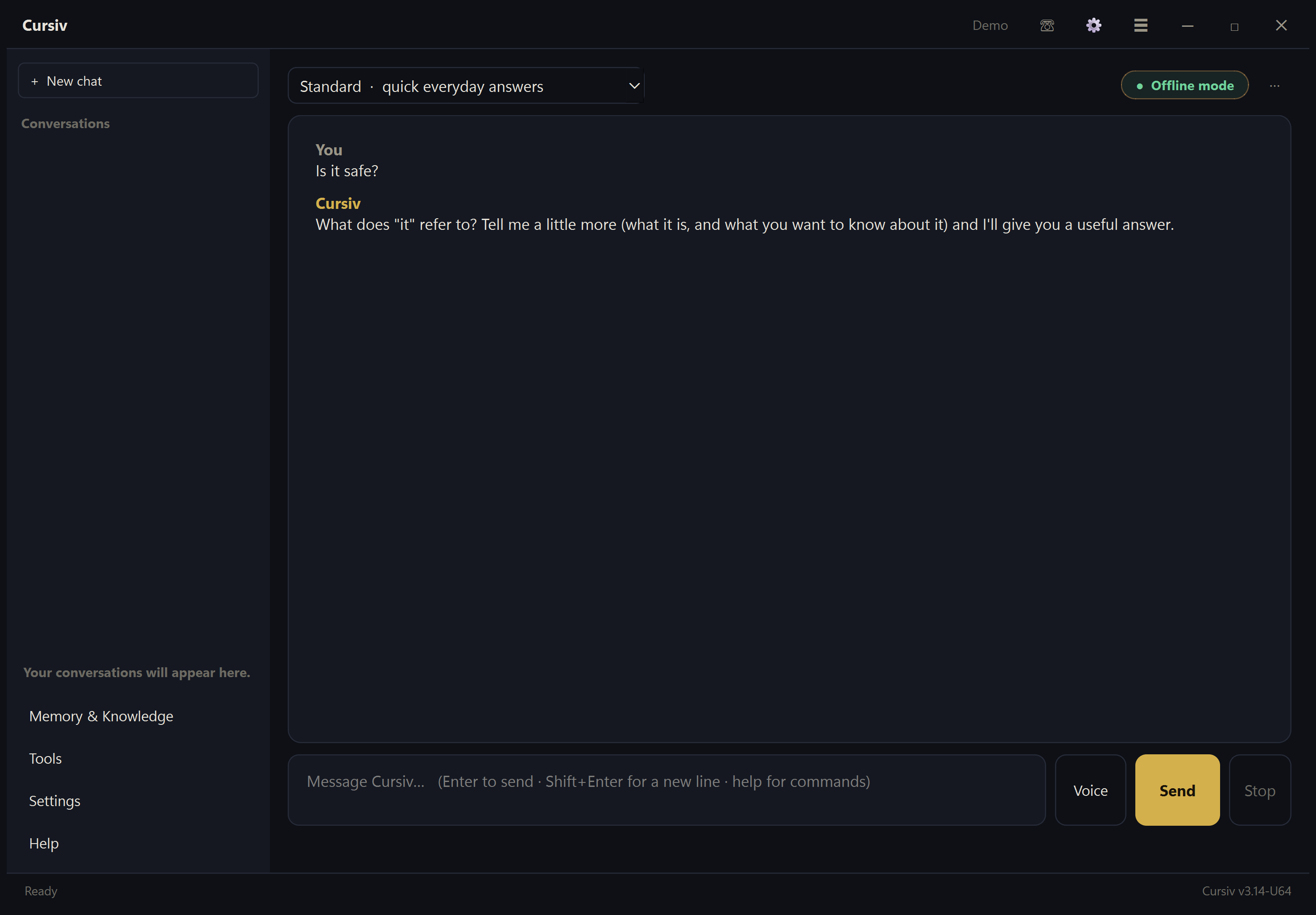
These are dated examples, recorded offline on October 18, 2026 from commit ec0b105, rather than screenshots of the latest release. The recorded answers provide context. The notebook image uses example entries. Features and broader validation status are described on the research page.
Put Cursiv on your PC.
Download the latest Windows release. Setup guides you through Ollama and a local model.
Free · MIT license · Initial downloads need internet